Chef++The app that connects the recipes you crave
Need chicken?
Craving teriyaki chicken?
We're currently testing, so the app is available by invitation only.
What gets easier
Start from an ingredient or a dish
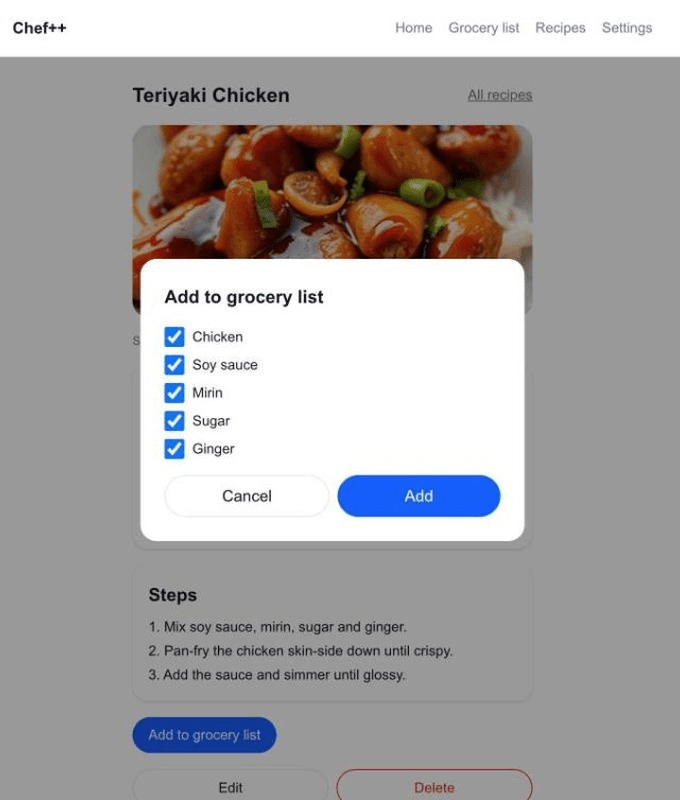
Add a missing ingredient directly, or add everything a recipe needs in one go. Duplicate items are merged into one.
Know what to buy at each store
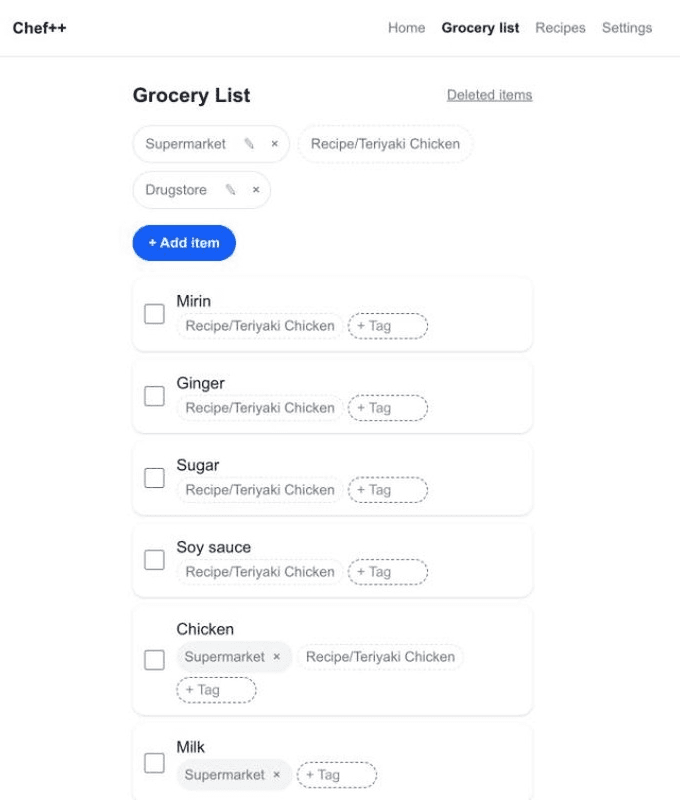
Tag items by store to see only what you need there. Your list syncs instantly between your computer and phone.
See what you can cook
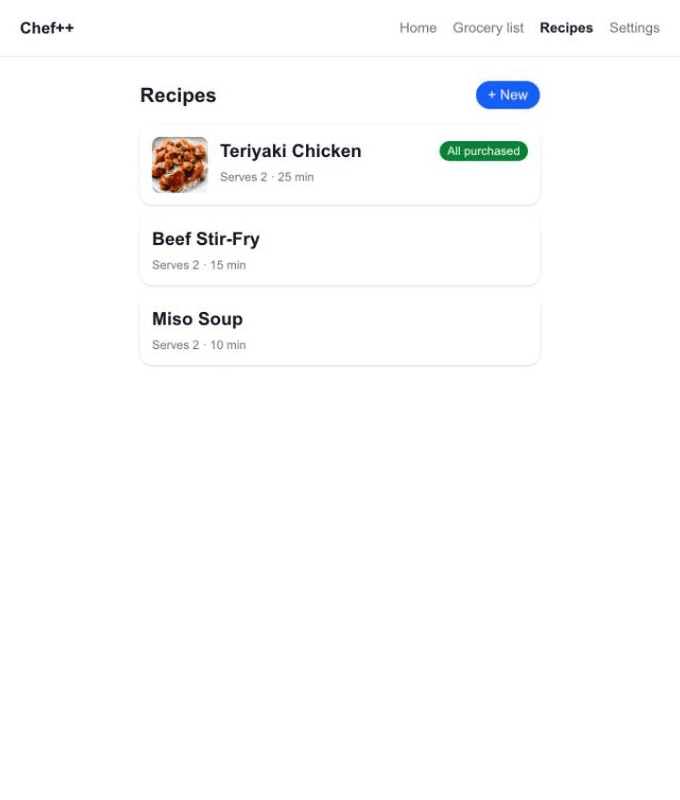
Your recipe list shows which recipes you have everything for, and AI suggests dishes even for ingredients without a recipe.
How it works
- or
Ingredient first
Need some chicken for the week? Just type it in.
Dish first
Craving teriyaki chicken? Pick the ingredients from your recipe.
Sort by store with tags
Filter with tags like “Supermarket” or “Drugstore”. Items from a recipe get a tag like “Recipe/Teriyaki Chicken” automatically.
Check items off at the store
Select what you bought and tap “Mark as purchased”. Purchased items are deleted after a while.
- or
Ready to cook
The recipe list shows “All purchased”.
No recipe?
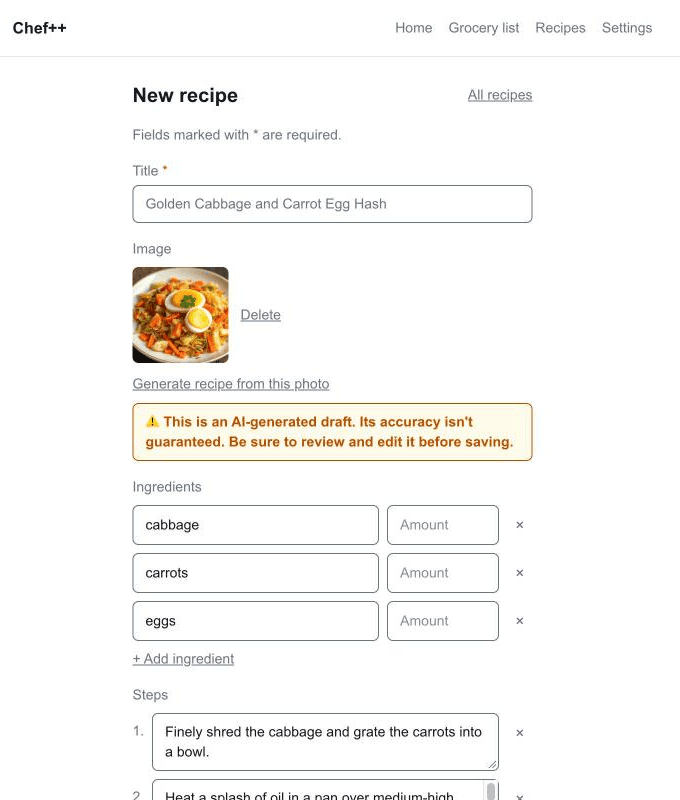
Select purchased items and tap “Suggest recipe”. Review the AI draft before saving.
App screens
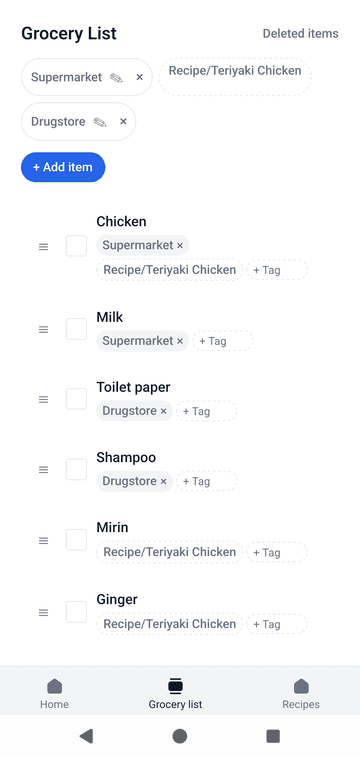
On your phone, too
Use the same list in the Android app (in testing). It syncs instantly with your computer.
Features
Grocery list
Select items to mark them as purchased or delete them in bulk. Purchased items are archived automatically after a set period.
AI recipe suggestions
Generates a recipe draft from purchased ingredients or a photo of a dish.
Image recognition
Just take a photo of ingredients to add them to your grocery list.